Screw Boy / standalone music + video
CHOP IT.
SLOW IT.
MAKE IT YOURS.
Turn your songs and videos into chopped-and-screwed performances. Hands-on cuts, deep slowdown, and effects—all in one dedicated app.
Your music. Your timing. No DAW required.
01 / Music mode
PUT YOUR HANDS
ON THE SOUND.
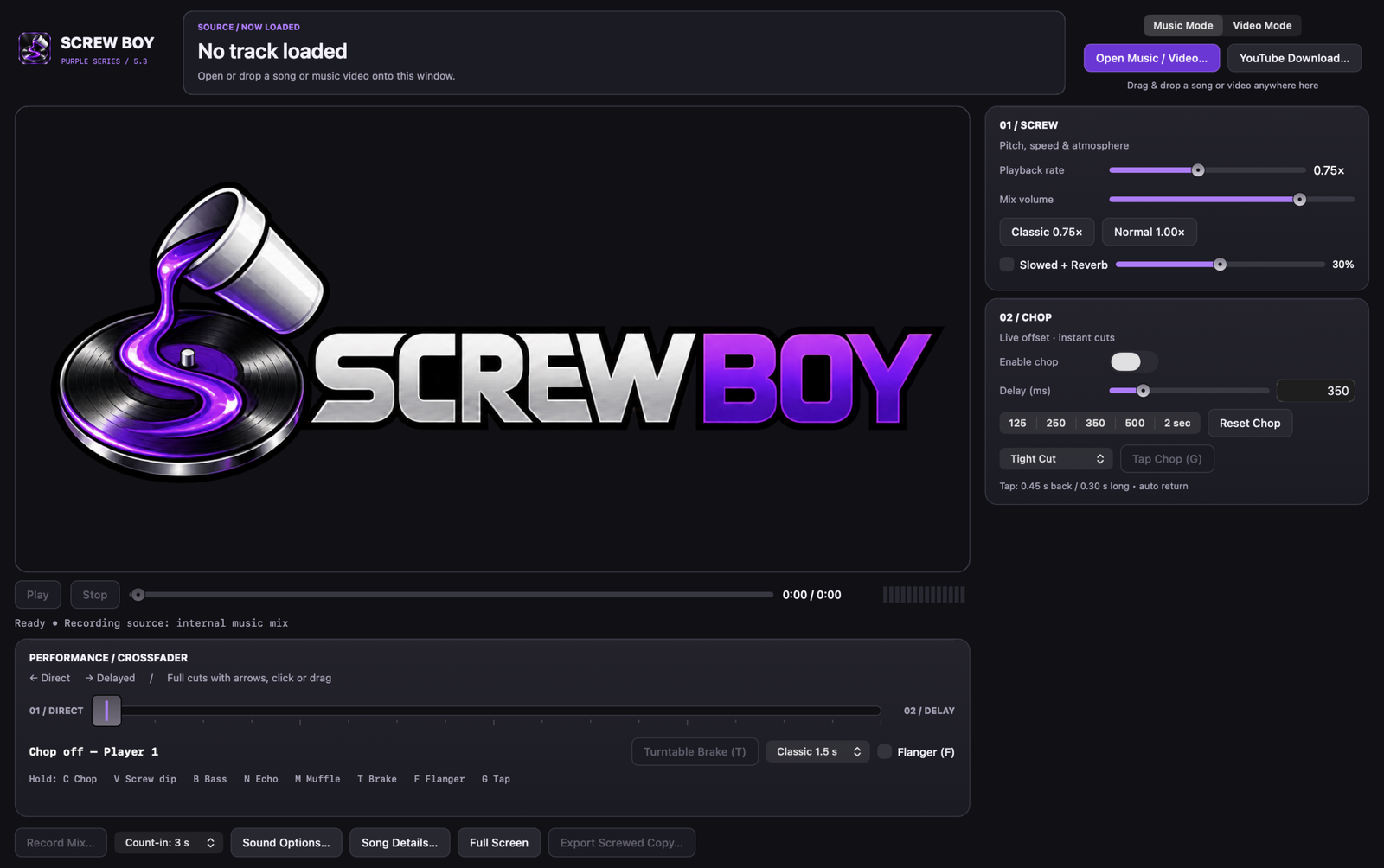
Load a song, find the pocket, and cut it your way. Screw Boy puts the chop fader, speed, pitch, and performance controls in one workspace.
CHOPS YOU CONTROL
Make hard cuts with the crossfader, keyboard arrows, and mouse. Use chop timing options to shape the repetition.
FIND YOUR SLOW
Dial in speed and pitch, then add slowed-and-reverb character or a turntable-style slowdown.
KEEP THE PERFORMANCE
Record your live moves and export the result. Create your mix in a dedicated app without opening a DAW.
02 / Performance effects
MORE FEEL.
MORE PURPLE.
Bring space, movement, and weight into the mix. Trigger effects as you perform and make every transition your own.
Performance controls stay close to the music, so you can change the feel in real time.
03 / Video mode
LET THE PICTURE
FOLLOW THE CHOP.
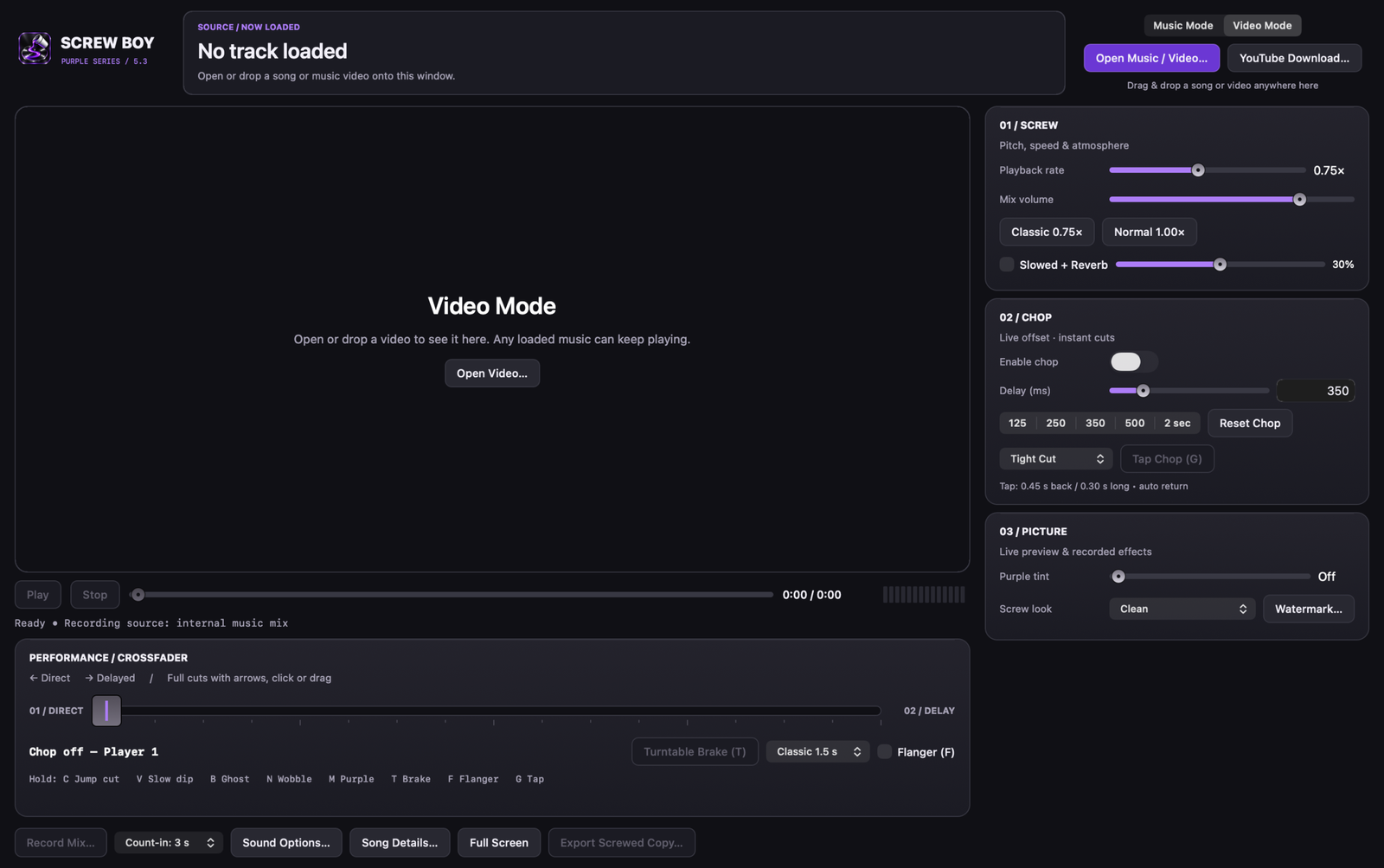
Jump cuts follow your audio cuts. Add a purple look and video effects, place your own watermark, and capture the whole performance.
SYNCED JUMP CUTS
Chop the image with the sound for a connected music-video performance.
YOUR SIGNATURE
Add a PNG or JPEG watermark and save your watermark template for the next session.
VISUAL CHARACTER
Use video effects and purple color treatments to build a look that matches your sound.
The standalone edition
ONE APP.
YOUR ENTIRE PERFORMANCE.
Music chopping, screw controls, live effects, video mode, watermarking, and recording in Screw Boy.
Mac requirements: Apple Silicon Mac with macOS 13 or later.
Purchase details are coming soon. Checkout is not open yet.
Read the FAQGood to know
BEFORE YOU CHOP.
Do I need a DAW?
No. This is the standalone Screw Boy app. Open your music or video directly in the app and perform from there.
Can I control chops with a keyboard and mouse?
Yes. Screw Boy includes keyboard and mouse controls for its chop fader and performance workflow.
Does it work with video?
Yes. Video mode combines audio chopping with synced jump cuts, visual effects, and watermarking.
Can I buy it right now?
Not yet. Pricing and checkout details will be posted here before purchasing opens.